Call next
One tap from your staff calls the customer on their phone, updates the screen and gets the next person ready.
Now servingA12
Call nextCustomers scan a QR code, enter their name and get on with their day. When their turn is close, their phone lets them know.
Free to start·No app, no extra hardware
Crowded chairs. Names called out that nobody hears. No idea how much longer it will be. With Dor, people can wait anywhere, except in front of the counter.
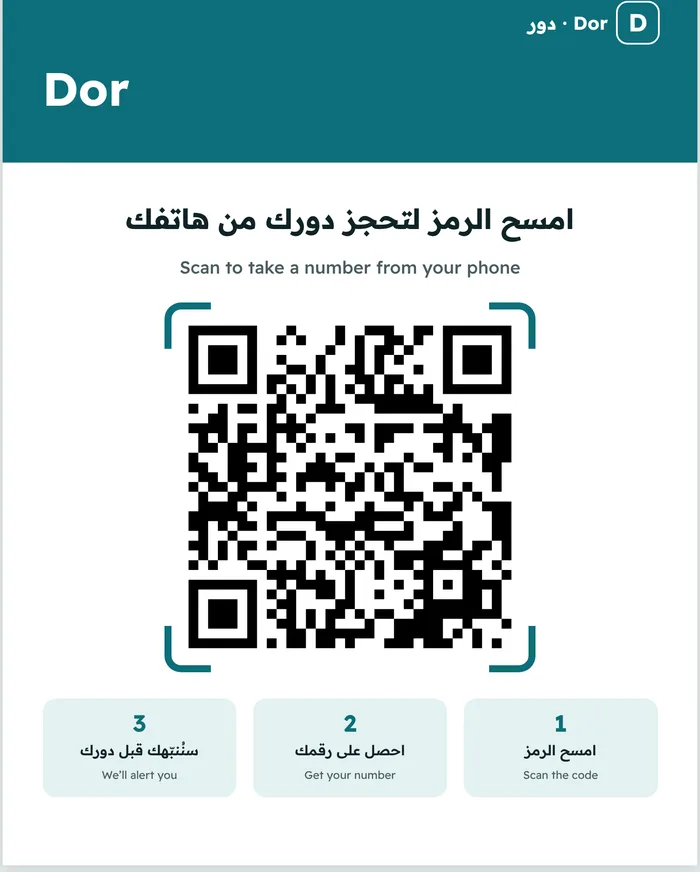
All a customer needs is their phone camera. No account, no download, no standing in line.
It's on the door or the waiting-room screen. The page opens right in the browser, with nothing to install.
Just a first name, plus a WhatsApp number if you like. Your place is booked.
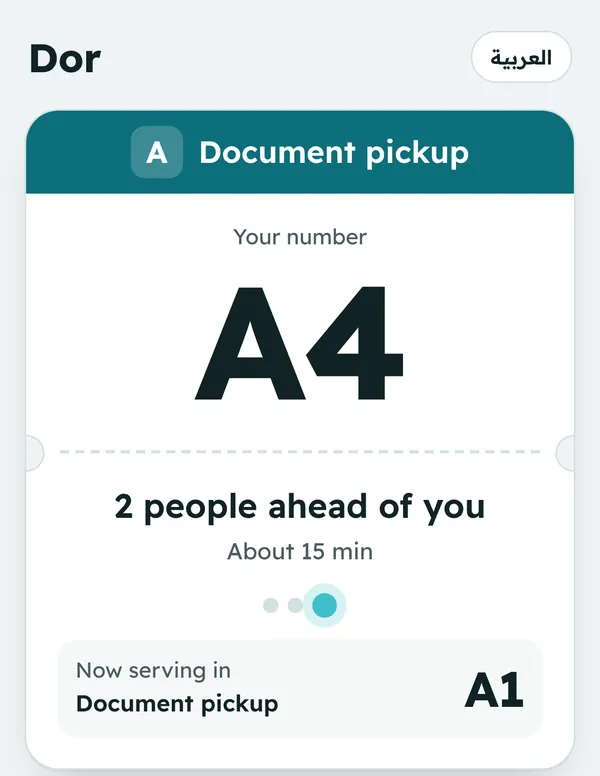
Grab a coffee or run a quick errand. The page shows how many people are ahead and roughly how long, and keeps itself up to date.
Your phone alerts you when two people are left, giving you plenty of time to head back.
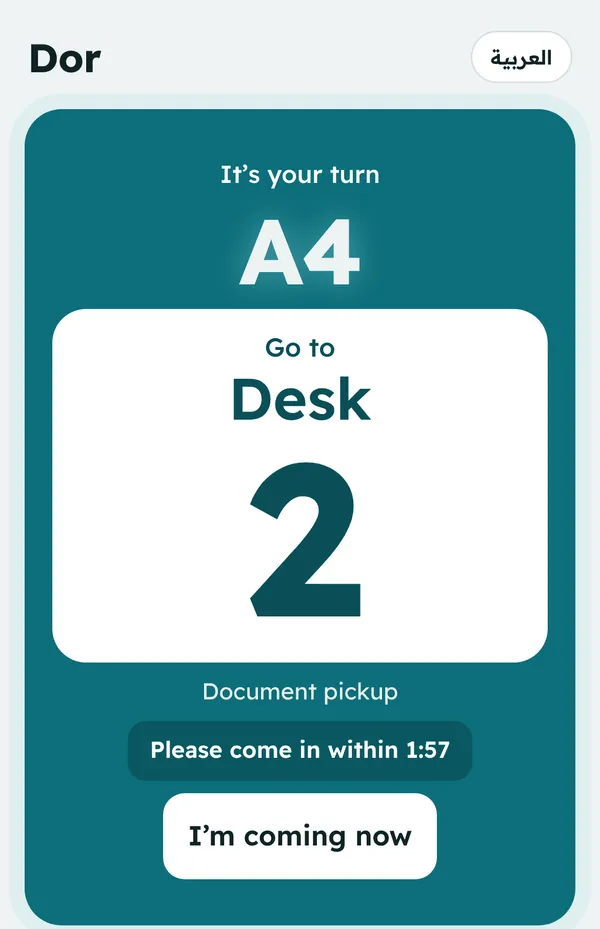
An airport-style call, and the screen tells you exactly where to go. Tap "On my way" so the staff know you're coming.
All you need is a QR poster on the door and a tablet or phone at the counter. If you have a TV, it becomes your calling screen.
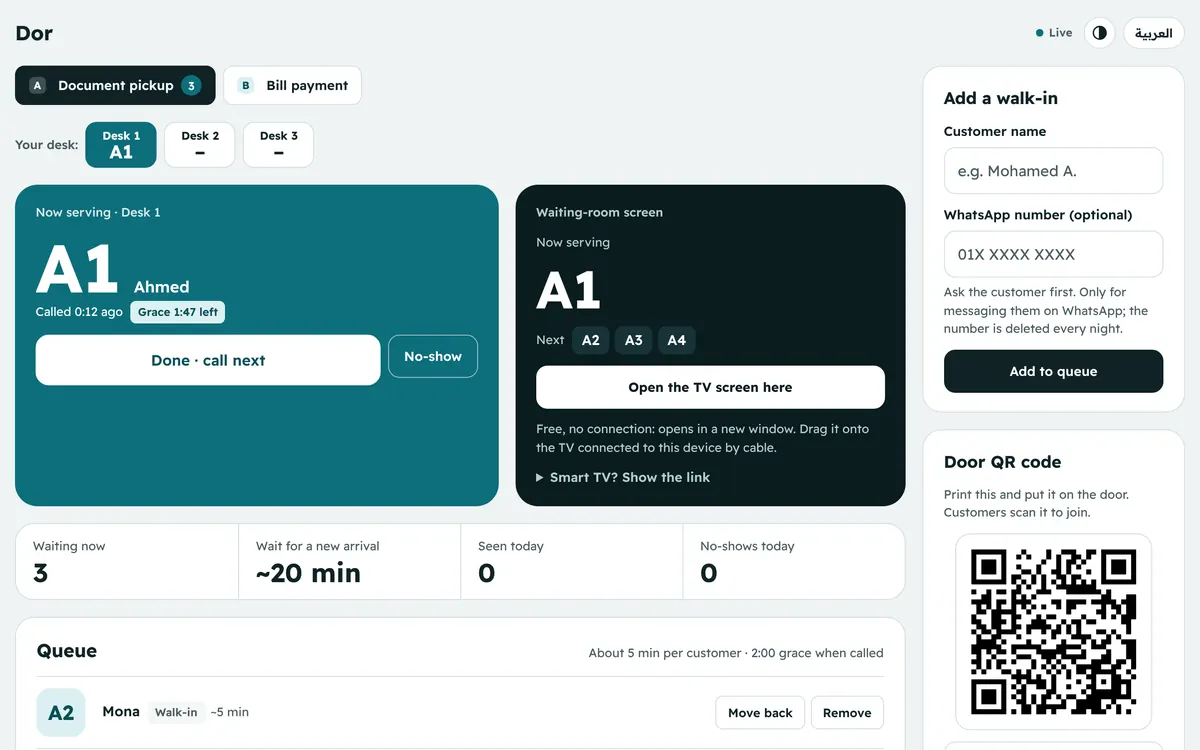
One tap from your staff calls the customer on their phone, updates the screen and gets the next person ready.
Each staff member works their own desk. Whoever taps first takes the next customer, and the customer knows exactly where to go.
Payments, pickups, enquiries. Each service gets its own line and letter, so numbers never get mixed up.
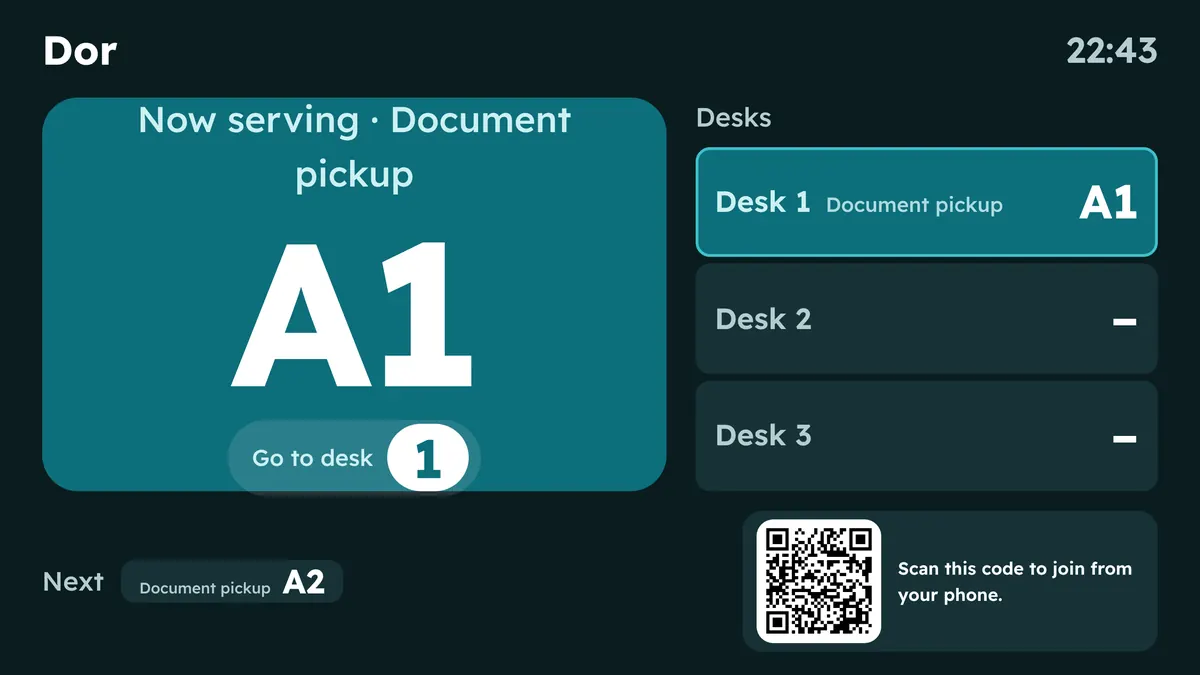
Any TV or old tablet becomes a calling screen. It shows numbers only, never names, along with the code to join.
For older customers or anyone without a phone, staff add them in one tap and give them a number in the same line.
Customers who miss their turn move back two places. Miss it twice and they're removed automatically, so the line keeps moving.
You're the staff now. Each tap calls the next customer, and the screen and the customer's phone update at the same moment.
Turn your sound on to hear the call.
Works in the browser on any smartphone. Customers who prefer can add it to their home screen like an app.
One when their turn is close, one when it arrives. No paid text messages, no spam.
Each customer chooses their language, and their alerts arrive in it.
Names and numbers are deleted as soon as a visit ends, and all queue data is cleared every night. The waiting-room screen only ever shows numbers.
We send you a QR poster to print and hang on your door. That's the whole setup.
We set up your shop and send you three links: the staff screen, the waiting-room screen and the poster.
Dor is a virtual queue system for shops, clinics, banks and pharmacies. Customers scan a QR code on the door and take a number on their phone, then wait wherever they like and get an alert when their turn is near.
No. Dor runs in the phone's browser right after scanning the code. Anyone who prefers can add it to their home screen like an app.
You can start free. No special hardware and no paid messages: a QR poster on the door and a phone or tablet at the counter is all it takes.
Their phone alerts them when two people are left, then again when it's their turn, with the window number. They can also leave a WhatsApp number so the shop can message them if an alert doesn't arrive.
Yes. Each service gets its own line and letter (A, B and so on), each staff member works their own window, and customers know exactly where to go.
Yes. Any TV or tablet becomes a waiting-room screen that shows numbers only, never names, along with the QR code to join.
Free to start. Send us your shop's name and we'll have it set up in minutes.